

Technology
2 minutes
Home Automation for Energy Efficiency and Cost Savings
Smart home tech slashing energy bills one automated device at a time
View Infographic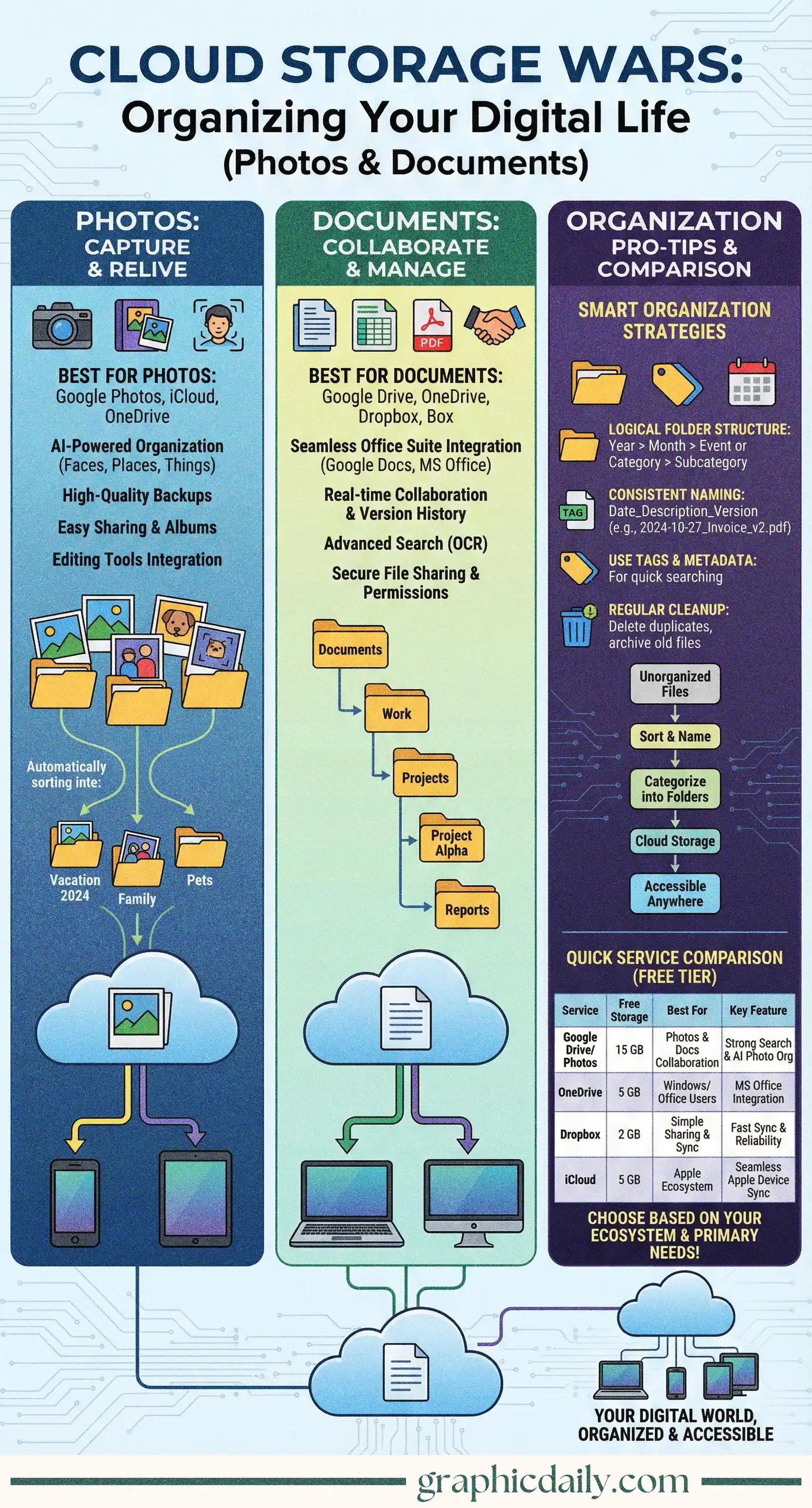
Let's be real—most of us have cloud storage accounts overflowing with files we can't find when we actually need them. I've spent way too many minutes scrolling through hundreds of photos labeled "IMG_4823.jpg" trying to locate that one vacation snapshot. The infographic above breaks down some genuinely helpful approaches to getting your digital life under control, and honestly, they're simpler than you'd think.
Creating a logical folder structure is pivotal here. Photos work beautifully with a Year > Month > Event hierarchy, while documents benefit from something like Year > Category > Project. Sounds basic? Maybe. But it's shockingly effective when you're frantically searching for last year's tax receipts at 11 PM.
Here's something I didn't appreciate until recently: consistent naming conventions are absolute game-changers. Instead of generic filenames, try 2024-10-27_PlumbingInvoice_v2.pdf with dates and descriptive keywords—your future self will thank you profusely. Tags and metadata add another layer of searchability too, letting you categorize files across multiple folders simultaneously. Schedule cleanup sessions quarterly. Delete duplicates ruthlessly.
The platforms we've highlighted on GraphicDaily each have distinct advantages, and according to research from various tech review sites, your existing ecosystem matters tremendously when choosing one:
| Service | Free Storage | Best For |
|---|---|---|
| Google Drive/Photos | 15GB | Android users, AI search features |
| Microsoft OneDrive | 5GB | Windows & Office 365 integration |
| Dropbox | 2GB | Fast syncing, reliable sharing |
| iCloud | 5GB | Apple ecosystem devotees |
Google Drive dominates if you're an Android person or rely on Google Workspace daily—that 15GB shared storage is nothing to scoff at. OneDrive integrates seamlessly with Windows and Microsoft 365 apps, making it the natural choice for Office users. Dropbox pioneered this whole space and remains rock-solid for syncing and sharing. And if you're swimming in Apple products? iCloud just works across all your devices without thinking about it.
Pick your platform wisely, implement these straightforward organizational habits, and watch your digital chaos transform into something actually manageable. Worth the effort? Absolutely 💯
Sources consulted for storage comparisons: Google Drive, Microsoft OneDrive, Dropbox, Apple iCloud
Smart home tech slashing energy bills one automated device at a time
View Infographic
Battery costs dropped 90% while range tripled in 15 years
View Infographic