

Gadgets
2 minutes
Extending Laptop Battery Life Tips
Practical strategies to squeeze more juice from your laptop battery
View Infographic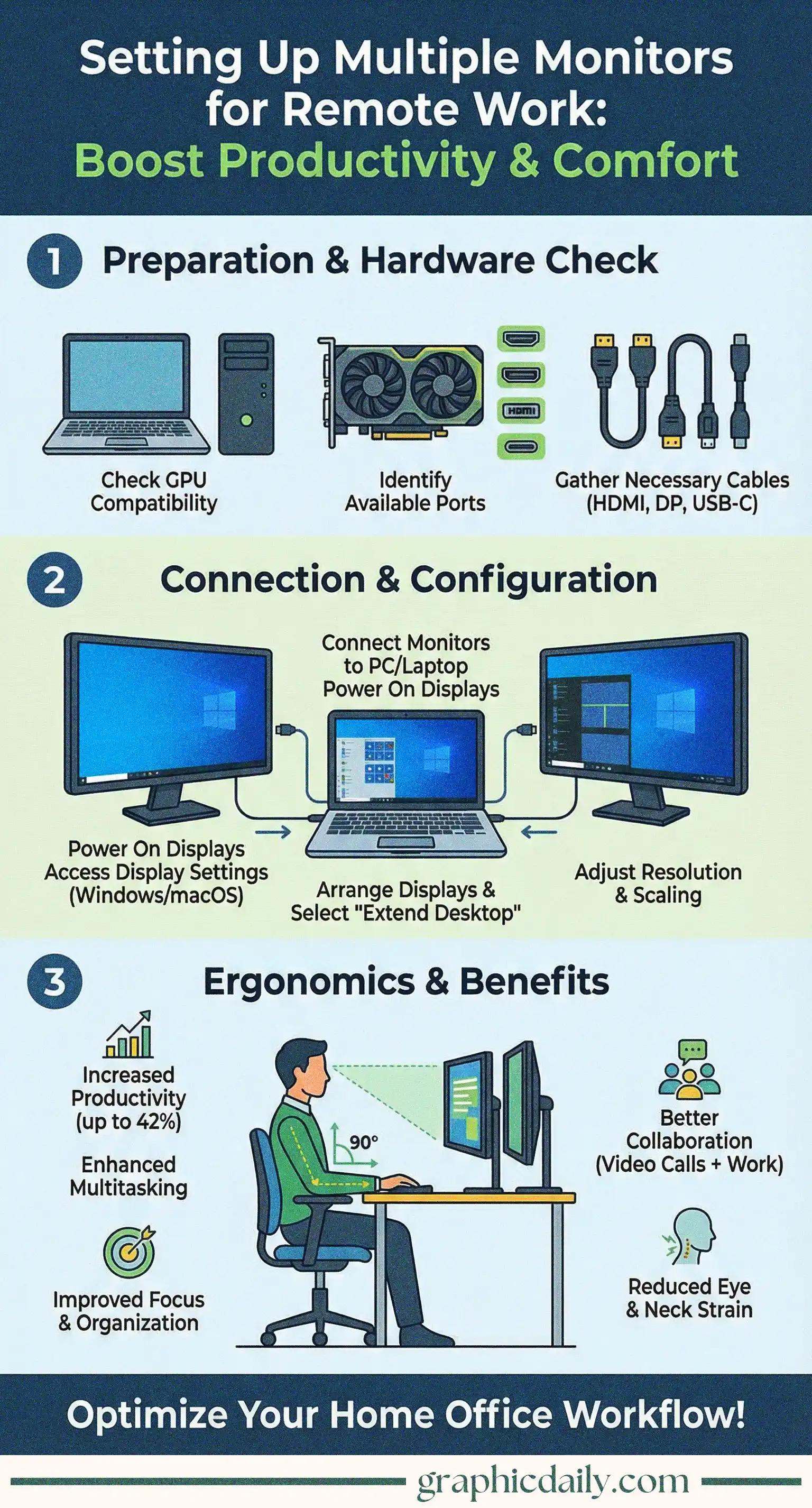
Ever wondered if those extra screens actually make a difference? Spoiler alert: they absolutely do. 🖥️
I'll be honest—I was skeptical about the whole multiple monitor hype until I stumbled across some compelling research. Turns out, adding another screen can genuinely skyrocket your productivity by up to 42%, according to various workplace studies. That's not just marketing fluff. The logic is straightforward: less window-switching means more actual work getting done, and who doesn't want that?
Our infographic above breaks down the essentials, but here's the kicker—it's not merely about having more digital real estate. You can dedicate one screen to your primary task while keeping Slack, email, or those seventeen research tabs perpetually visible on another. For anyone juggling video calls while presenting (we've all been there), this setup becomes downright indispensable.
The technical side isn't intimidating. Most modern computers handle dual displays without breaking a sweat, though you'll want to verify your graphics card can support your ambitions. Check those ports on your machine—HDMI, DisplayPort, USB-C—and match them with appropriate cables.
After physically connecting everything, dive into your display settings. Windows users can right-click the desktop and navigate to Display settings, then arrange those screen diagrams to mirror your actual desk layout. Mac folks will find similar options under System Preferences > Displays > Arrangement. The crucial part? Select "Extend these displays" rather than mirror mode, unless you're presenting to a room.
| Element | Recommendation |
|---|---|
| Monitor Height | Top at or slightly below eye level |
| Distance | Approximately one arm's length |
| Angle | Slight inward curve for dual setups |
Your neck and eyes will genuinely thank you for positioning screens properly—trust me on this one. The American Optometric Association emphasizes proper viewing angles to minimize strain, and after experiencing the alternative, I'm a believer.
Setting this up takes maybe thirty minutes, but the payoff stretches across every workday thereafter. Worth it? Undoubtedly.
Practical strategies to squeeze more juice from your laptop battery
View Infographic
Find your perfect digital reading companion with this guide
View Infographic