

Gadgets
2 minutes
Setting Up Multiple Monitors for Remote Work
Visual breakdown of optimizing your workspace with multiple displays
View Infographic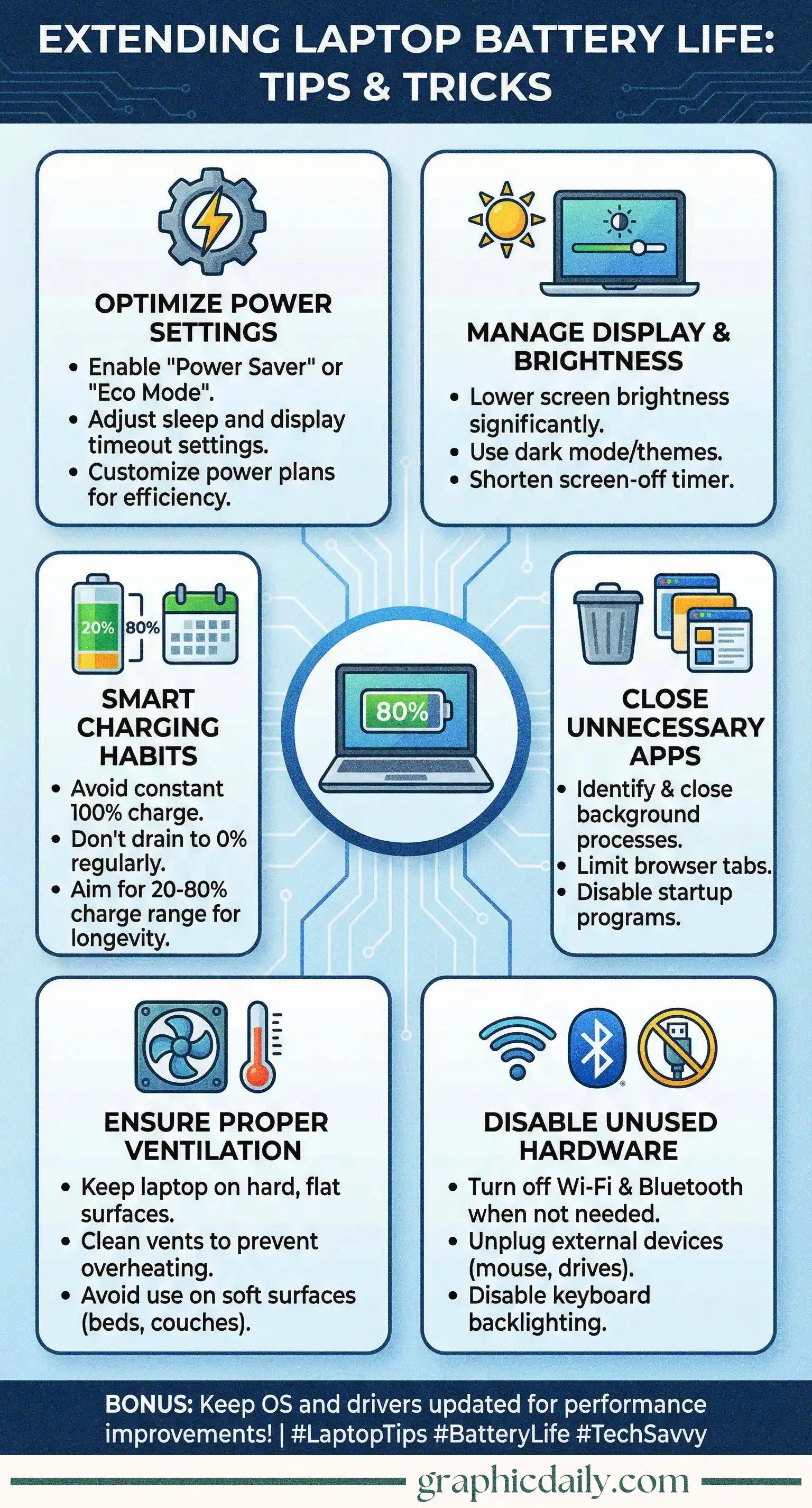
Your laptop's battery draining faster than your morning coffee disappears? Yeah, I've been there too. After diving into this topic (because honestly, who wants to hunt for outlets constantly?), I discovered the tips in our infographic above are genuinely game-changing.
Here's something wild: your screen devours more power than almost anything else running on your machine. Just dimming it a notch can extend usage significantly. I was skeptical about dark mode actually making a difference, but according to research from Purdue University, OLED displays can save up to 60% power with darker interfaces. Pretty remarkable, right?
Ever checked your task manager and found like 47 things running you didn't even open? Those sneaky background apps are silent battery assassins. Close what you're not using. Browser tabs count too—each one nibbles away at your battery life bit by bit, especially those auto-playing video ads that somehow follow you everywhere.
Heat damages batteries faster than anything. Using your laptop on a fluffy bed might feel cozy, but you're suffocating the poor thing's ventilation system. Hard surfaces work best. The Battery University emphasizes that elevated temperatures accelerate battery degradation, so proper airflow isn't just about performance—it's about longevity.
Oh, and that 20-80% charging rule? Not just tech folklore. Keeping your battery between these levels genuinely prolongs its lifespan, according to battery health experts. Small habits, substantial payoff. 🔋
Visual breakdown of optimizing your workspace with multiple displays
View Infographic
Find your perfect digital reading companion with this guide
View Infographic