

Art
3 minutes
Painting a Night Sky in Acrylics Step-by-Step
A beginner's guide to creating stunning acrylic night skies
View Infographic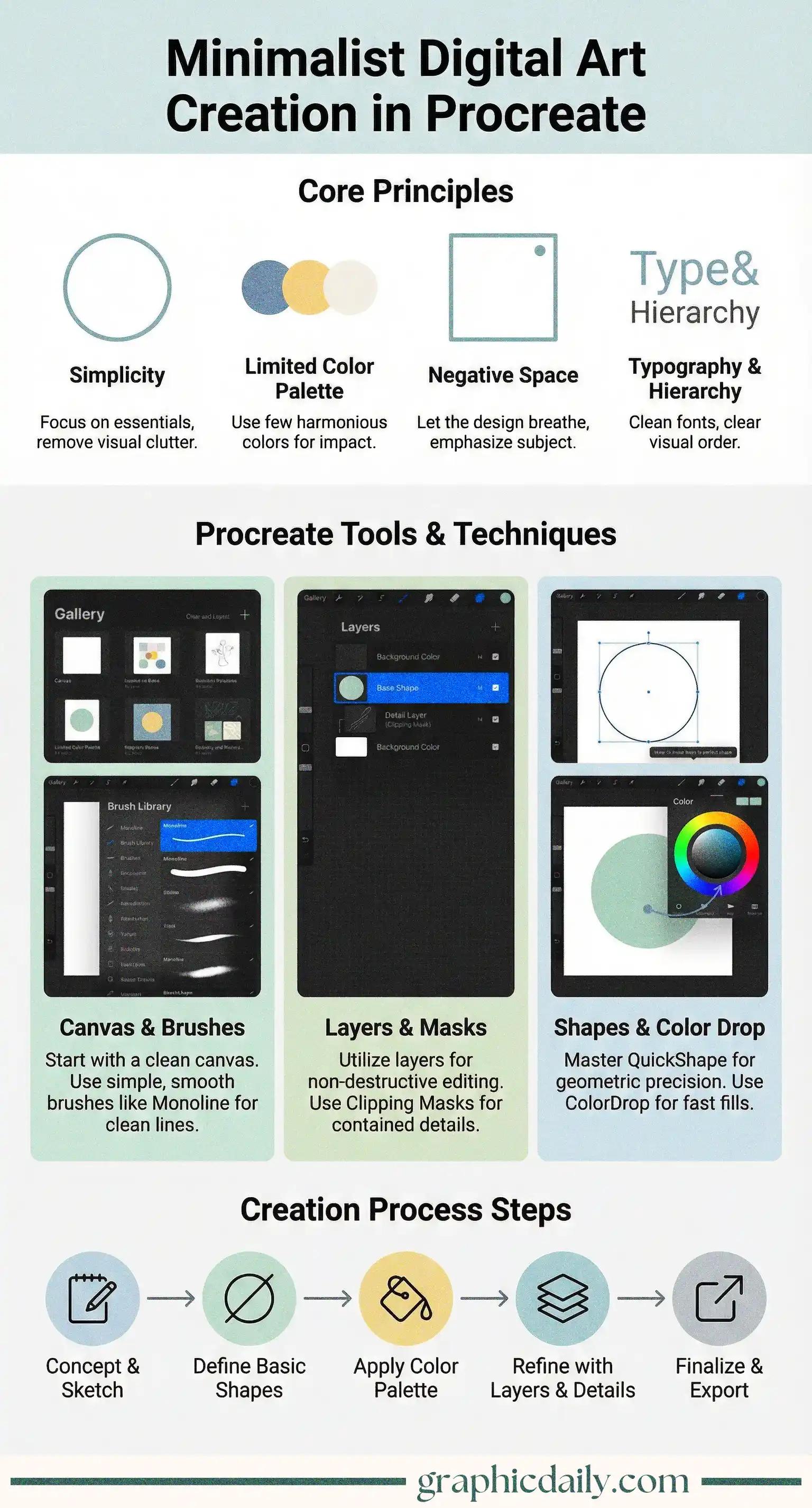
Ever feel overwhelmed by complex digital art tutorials that require, like, seventeen layers and a degree in color theory? Minimalist design in Procreate might just be your antidote. The infographic above breaks down how simplicity can actually amplify your creative voice rather than stifle it.
Here's the thing: restraint is incredibly liberating. Our infographic highlights four foundational elements that transform sparse canvases into compelling artwork. Simplicity strips away the noise—you're left with only what matters. A limited color palette (think 2-5 hues max) creates visual harmony that feels effortless yet intentional. Then there's negative space, which honestly took me forever to appreciate until I realized it's not "empty" at all—it guides your viewer's eye exactly where you want it. Finally, thoughtful typography and hierarchy establish order without shouting for attention.
I dove into Procreate's documentation recently and discovered features I'd been ignoring for ages. The QuickShape tool (just hold your Apple Pencil at the end of any stroke) generates perfect circles and lines instantly—no wrestling with wobbly edges. Clipping Masks keep textures confined to specific shapes, maintaining those crisp boundaries minimalism demands. Monoline brushes create uniform strokes that feel clean and modern.
The step-by-step workflow at the bottom of the infographic walks you through sketching, refining shapes, applying color strategically, and polishing details. It's remarkably straightforward once you embrace the minimalist mindset: subtract until you can't anymore. 🎨
Sources:
A beginner's guide to creating stunning acrylic night skies
View Infographic
Master eye proportions and shadow techniques for lifelike drawings
View Infographic